References
Kasm Documentation Kasm System Requirements Kasm GPU Install
Prerequisites
- Install Docker Tutorial
- Swap Space
Installation
- NOTE: check for the latest version
cd /tmp
curl -O https://kasm-static-content.s3.amazonaws.com/kasm_release_1.18.1.tar.gz
tar -xf kasm_release_1.18.1.tar.gz
sudo bash kasm_release/install.sh --accept-eula --swap-size 8192
GPU Setup
- The Nvidia container setup instructions, and standard GPU driver installation threw an error:
nvidia runtime not found. The script on Kasm’s site worked.
#!/bin/bash

# Check for NVIDIA cards
if ! lspci | grep -i nvidia > /dev/null; then
    echo "No NVIDIA GPU detected"
    exit 0
fi

add-apt-repository -y ppa:graphics-drivers/ppa

curl -fsSL https://nvidia.github.io/libnvidia-container/gpgkey | sudo gpg --dearmor -o /usr/share/keyrings/nvidia-container-toolkit-keyring.gpg \
  && curl -s -L https://nvidia.github.io/libnvidia-container/stable/deb/nvidia-container-toolkit.list | \
    sed 's#deb https://#deb [signed-by=/usr/share/keyrings/nvidia-container-toolkit-keyring.gpg] https://#g' | \
    sudo tee /etc/apt/sources.list.d/nvidia-container-toolkit.list

apt update
apt install -y ubuntu-drivers-common

# Run ubuntu-drivers and capture the output
DRIVER_OUTPUT=$(ubuntu-drivers list 2>/dev/null)
# Extract server driver versions using grep and regex
# Pattern looks for nvidia-driver-XXX-server
SERVER_VERSIONS=$(echo "$DRIVER_OUTPUT" | grep -o 'nvidia-driver-[0-9]\+-server' | grep -o '[0-9]\+' | sort -n)
# Check if any server versions were found
if [ -z "$SERVER_VERSIONS" ]; then
    echo "Error: No NVIDIA server driver versions found." >&2
    exit 1
fi
# Find the highest version number
LATEST_VERSION=$(echo "$SERVER_VERSIONS" | tail -n 1)
# Validate that the version is numeric
if ! [[ "$LATEST_VERSION" =~ ^[0-9]+$ ]]; then
    echo "Error: Invalid version number: $LATEST_VERSION" >&2
    exit 2
fi
# Output only the version number
echo "Latest version is: $LATEST_VERSION"
ubuntu-drivers install "nvidia:$LATEST_VERSION-server"
apt install -y "nvidia-utils-$LATEST_VERSION-server"
# Install NVIDIA toolkit + configure for docker
apt-get install -y nvidia-container-toolkit
nvidia-ctk runtime configure --runtime=docker
Egress Setup: NordVPN
- Get service credentials for the VPN: Available on the VPN dashboard
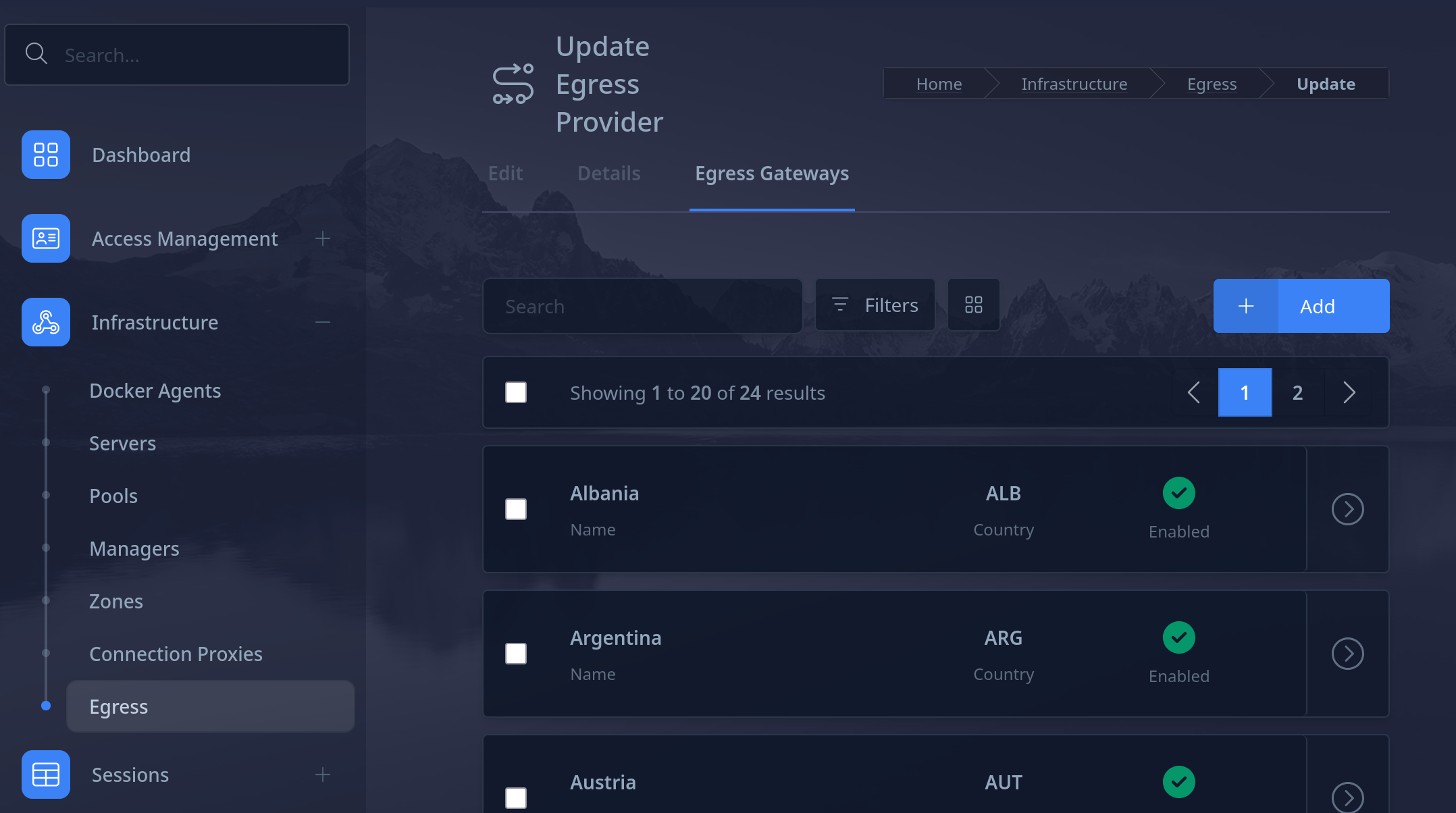
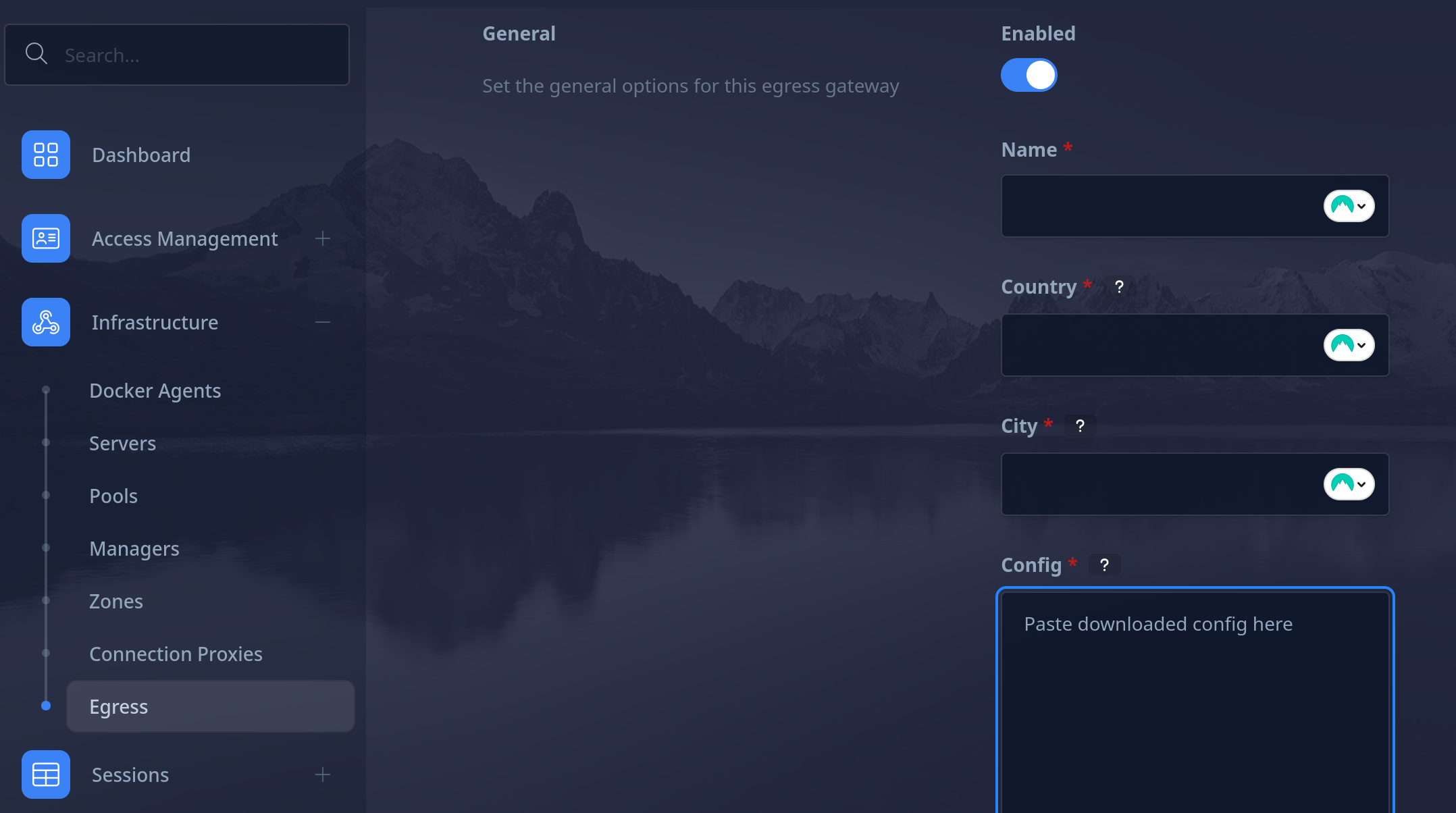
- Download desired OpenVPN configuration files: Available on the VPN dashboard
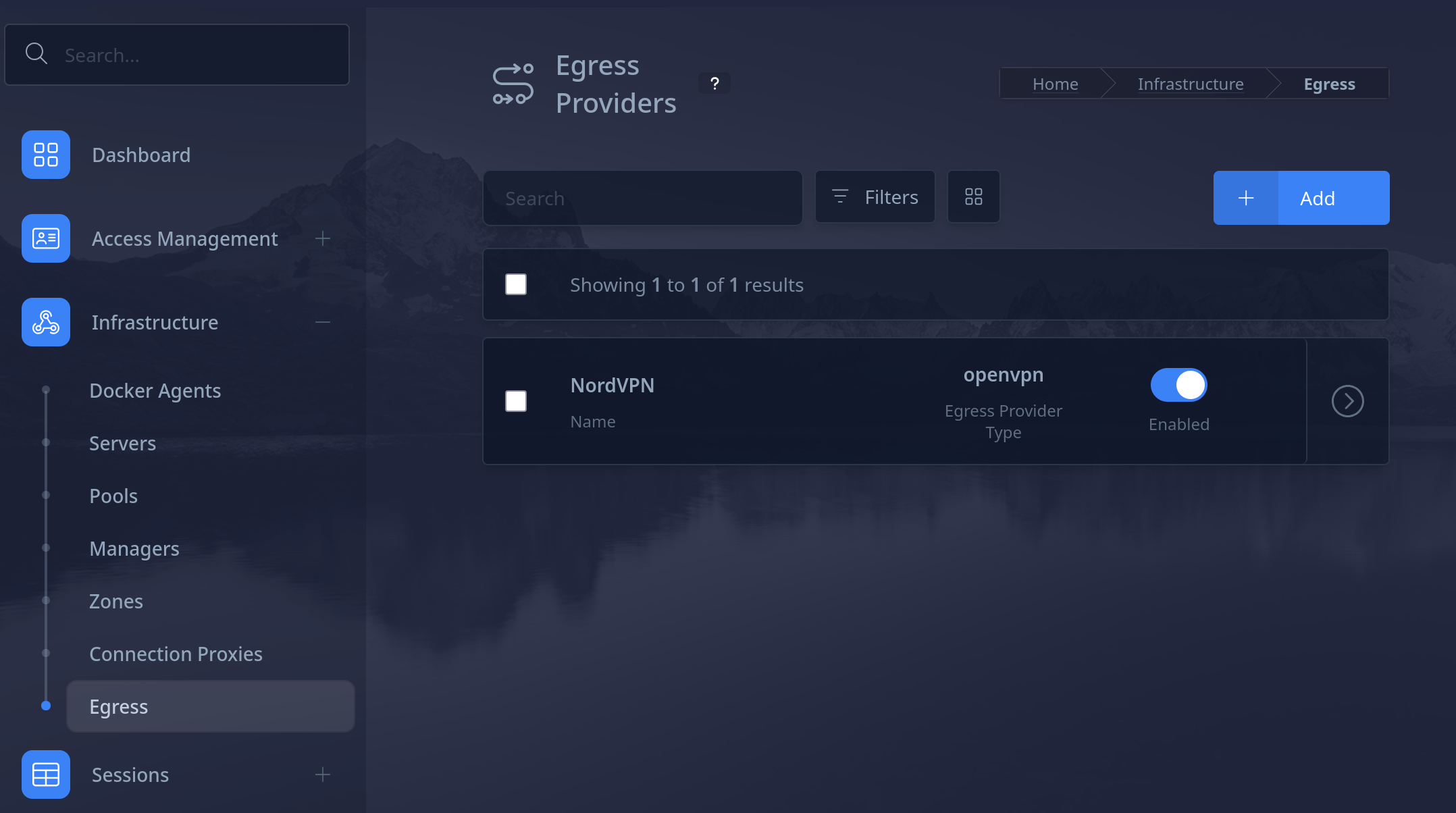
- On Kasm Administrator dashboard, select Egress (Infrastructure > Egress)
- Add the egress provider:
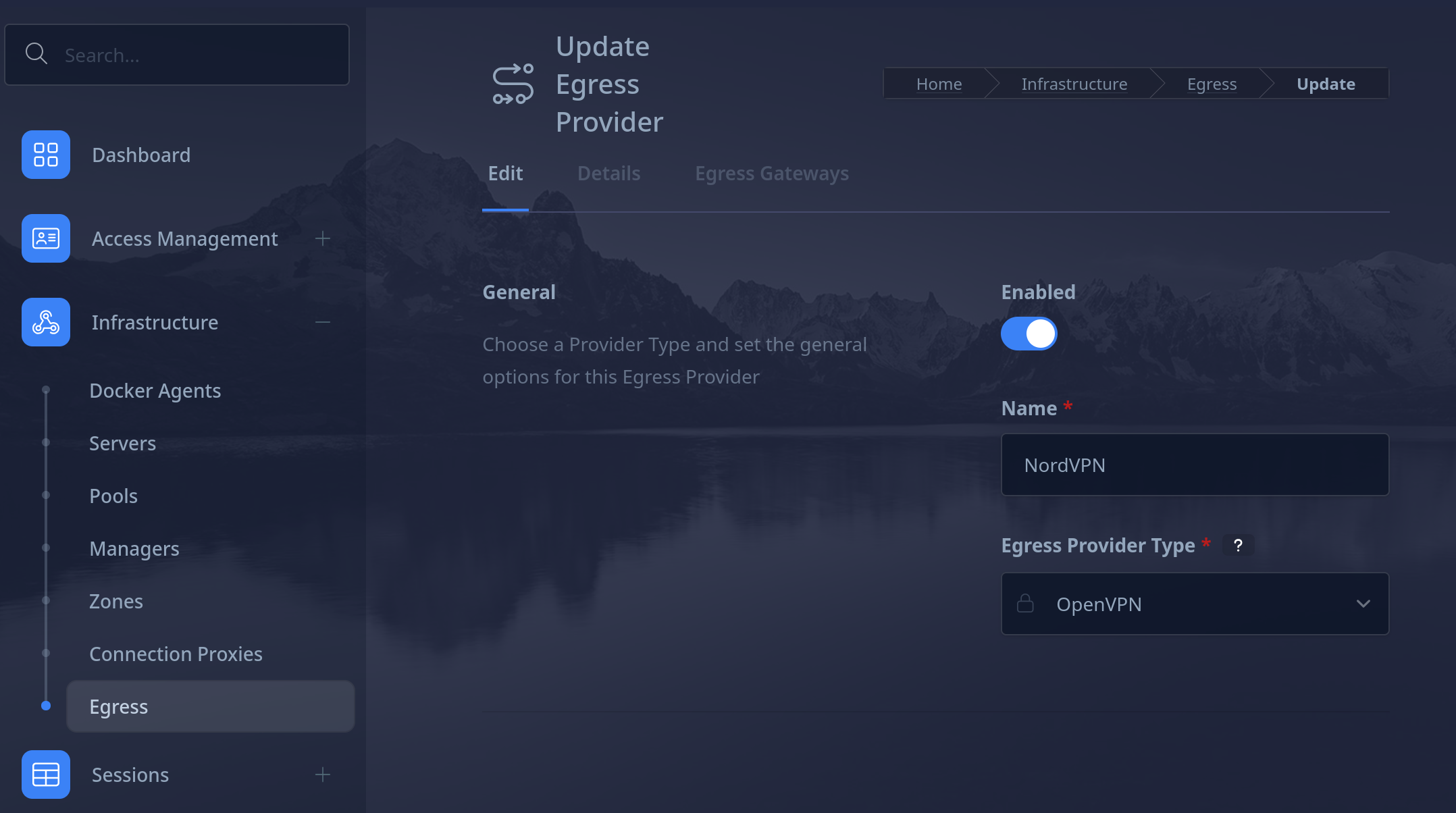
- Configure VPN type:
- Add egress gateways:
- Add the egress provider:
- On the Workspaces > Workspace page, select the workspace to allow it to use the VPN, click
editand add the egress provider on theEgresstab. - On the
Egress Credentialstab, add in the service credentials for the VPN